
Marketing attribution

Multi-touch marketing attribution that ties every call and form to real revenue

Clicks are not revenue. Despora connects first-party tracking, call tracking and your CRM deals so you can see which channel, campaign and keyword produced revenue — and which only produced noise.

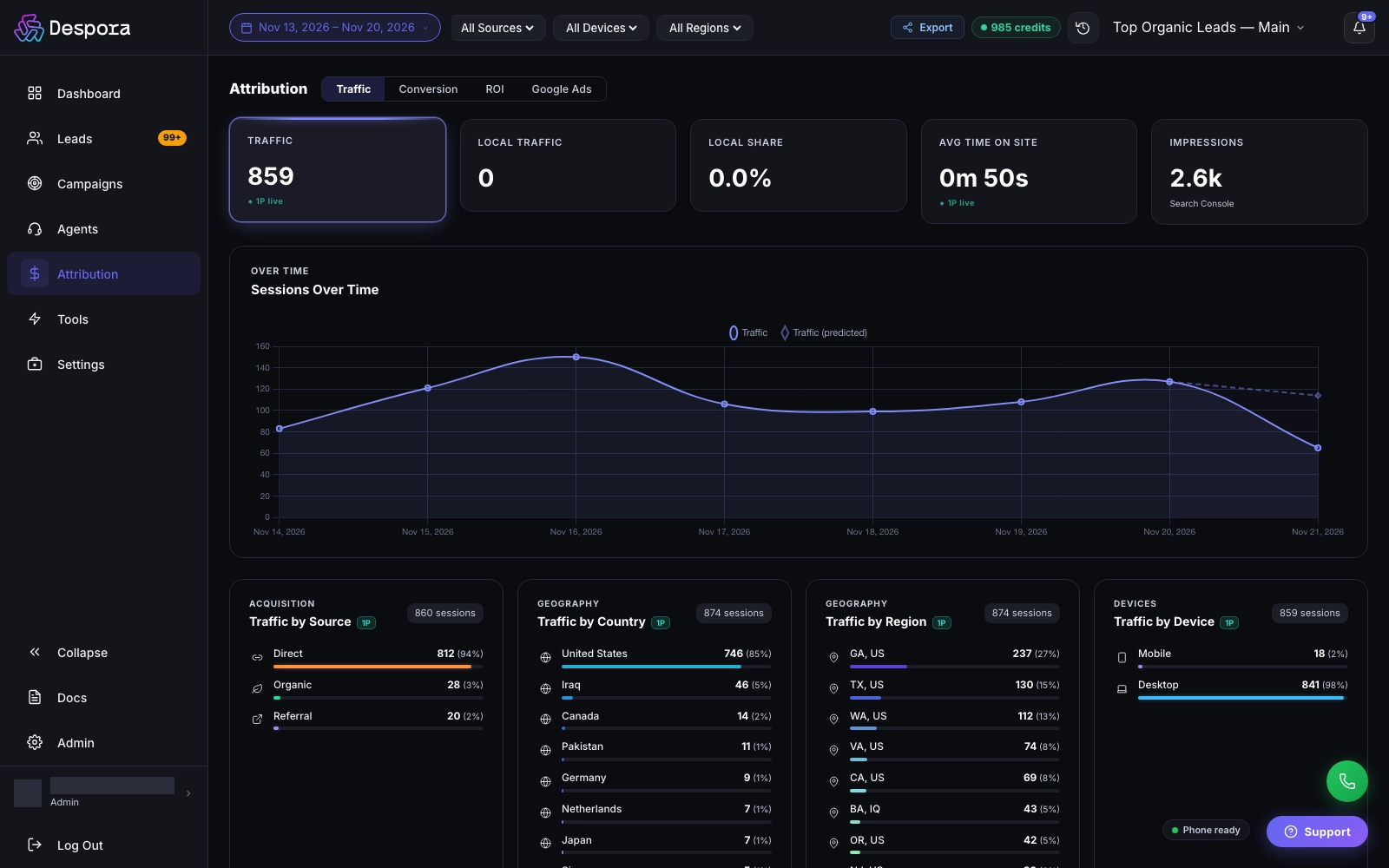
Despora multi-touch revenue attribution dashboard

What is multi-touch marketing attribution?

Multi-touch attribution assigns credit for a conversion across every marketing touchpoint a buyer interacts with, instead of only the first or last click. Despora records first-party touchpoints and call tracking, then connects them to closed-won deals to report revenue per channel and campaign.

What you get

First-party attribution pixel

A lightweight first-party pixel records sessions and touchpoints on your own domain, so attribution does not depend on a heavy third-party analytics stack.

  • First-party touchpoint capture
  • Pixel health checks and deployment verification
  • Lightweight script, built for Core Web Vitals

Call tracking

Use Despora’s Twilio-backed tracking numbers or connect CallRail. Calls are recorded, transcribed and scored, then attached to the channel that drove them.

  • Twilio tracking numbers and call recordings
  • CallRail integration
  • AI transcription and lead scoring

Multi-touch journeys

See the full path to conversion rather than only the last click: first touch, assist touches and the touch that closed.

  • First, last and assisting touchpoints
  • Journey timeline per lead
  • Hidden AI-referral traffic surfaced

Revenue per channel

Deal values from the CRM roll up to channel, campaign and keyword so cost-per-lead becomes cost-per-closed-dollar.

  • Revenue and ROI by channel
  • Channel costs and project economics
  • Google Ads, Search Console and GA4 connections

Closed-loop ROI verification

Because the lead, the call and the deal are the same record, ROI numbers can be audited line by line instead of trusted blindly.

  • Click-through from report to lead to call recording
  • Scheduled performance reports
  • Alerts on unusual drops

Built for agencies

Report on every client from one login with branding that proves the agency’s impact.

  • Per-project dashboards
  • Exportable reports
  • Role-based client access

How it works

  1. 1

    Install the pixel

    Add the first-party pixel and connect call tracking.

  2. 2

    Connect sources

    Link Google Ads, Search Console, GA4 and CallRail where used.

  3. 3

    Capture touchpoints

    Every visit, call and form is stored against the lead.

  4. 4

    Close the loop

    Record deals in the CRM so revenue flows back to the channel.

  5. 5

    Optimise

    Shift budget toward the channels and keywords that close.

Frequently asked questions

Does Despora replace GA4 and CallRail?

It can. Despora includes first-party tracking and call tracking, and also integrates with GA4, Search Console, Google Ads and CallRail if you want to keep them as inputs.

How does Despora track revenue, not just leads?

Deals recorded in the CRM carry a value and are tied to the lead’s touchpoints, so revenue rolls up to channel, campaign and keyword.

Is Despora’s attribution first-party?

Yes. Touchpoints are captured by Despora’s own pixel on your domain rather than a third-party analytics network.

Can I track phone calls from Google Business Profile or the map pack?

Calls from tracking numbers are attributed to their source, including map-pack traffic, and surface alongside web conversions.

Does the pixel slow my site down?

The pixel is a small script designed to load without blocking rendering, so it will not move your PageSpeed score meaningfully.

Does it work with Retell AI and Twilio calls?

Yes. Calls placed or received through Despora’s Retell and Twilio stack are part of the same attribution graph as web and tracked calls.